Introduction
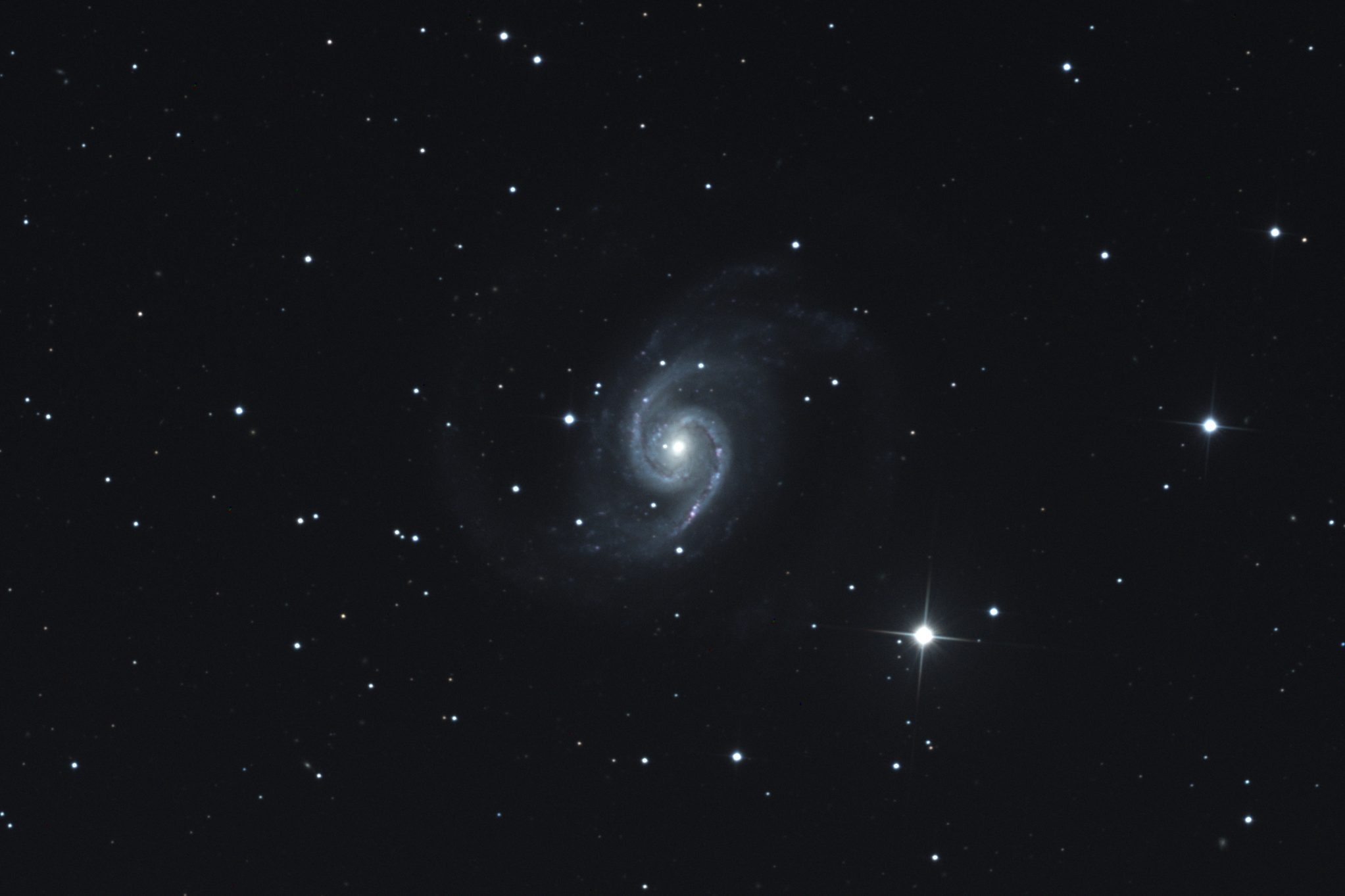
Three months ago, I wrote an article on color compositing LRGB images captured with RicoRem-Ricoh’s remote telescope . Targeting NGC 1566, I stacked multiple images exposed with each LRGB filter. For my own reference as well, I summarize the processing steps here.
-
Related Information
- Ricorimo - Used the 50cm telescope at Siding Spring Observatory in Australia. Ricorimo images can be downloaded not only as raw data but also as calibrated data with dark and flat corrections applied. Calibrated data was used.
- Siril - The astro-imaging software used this time. Stacking was done using Siril 1.4.1 running on a MacBook Air. Just checked the homepage, and it seems 1.4.2 was released on 2/18!
- ChatGPT - Used this to plan the observation.
- Claude - Used this to process and compile the images. Quickly created shell scripts, speeding up the process.
Image Processing
Stacking Procedure
Prerequisites
Target & Exposure Times
-
Target NGC1566
-
L-band Images January 21, 2026, 22:10:44–22:49:26 (180 sec each, 10 frames)
-
R Images January 21, 2026, 22:49:57–22:59:37, 120 seconds each, 4 frames
-
G Images January 21, 2026, 23:00:07–23:09:50, 120 seconds each, 4 frames
-
B Images 2026/1/21 23:10:20-23:20:01 120 seconds each, 4 frames ※ Stacking processed after excluding 1 defective image
Directory Structure
NGC1566/
  └── lights/
      ├── calibrated-...-Luminance-...-001.fit
      ├── calibrated-...-Luminance-...-002.fit
      ├── calibrated-...-Red-...-001.fit
      ├── calibrated-...-Green-...-001.fit
      └── calibrated-...-Blue-...-001.fit
Target Configuration After Processing
NGC1566/
  ├── L_stacked.fit
  ├── R_stacked.fit
  ├── G_stacked.fit
  ├── B_stacked.fit
  ├── lights/
  ├── L/
  ├── R/
  ├── G/
  └── B/
Step 1: Batch Rename Files and Organize Directories
1-1. Create a Shell Script
Execute the following in Terminal:
cd ~/workspace/astro-image/NGC1566
nano rename_move_lrgb.sh
Even if it’s not nano, use an editor you’re comfortable with.
1-2. Script Content
Paste the following content:
#!/bin/bash

# 作業ディレクトリの確認
if [ ! -d "lights" ]; then
    echo "Error: 'lights' directory not found!"
    exit 1
fi

# 必要なディレクトリを作成
echo "Checking and creating directories..."
for dir in L R G B; do
    if [ ! -d "$dir" ]; then
        mkdir "$dir"
        echo "Created directory: $dir"
    else
        echo "Directory already exists: $dir"
    fi
done

# lightsディレクトリに移動
cd lights

echo ""
echo "Starting LRGB file renaming and moving..."

# 関数:リネームと移動
rename_and_move() {
    local filter=$1
    local prefix=$2
    local count=0

    for file in calibrated-*-${filter}-*.fit; do
        if [ -f "$file" ]; then
            # ファイル名から番号を抽出(macOS対応)
            number=$(echo "$file" | sed -E 's/.*-([0-9]{3})\.fit$/\1/')
            newname="${prefix}_${number}.fit"

            # リネームして親ディレクトリの該当フォルダに移動
            mv "$file" "../${prefix}/${newname}"
            echo "Moved: $file -> ${prefix}/${newname}"
            ((count++))
        fi
    done

    if [ $count -eq 0 ]; then
        echo "Warning: No ${filter} files found"
    else
        echo "Processed ${count} ${filter} files"
    fi
    echo ""
}

# 各フィルターを処理
rename_and_move "Luminance" "L"
rename_and_move "Red" "R"
rename_and_move "Green" "G"
rename_and_move "Blue" "B"

# 元のディレクトリに戻る
cd ..

echo "============================="
echo "All LRGB files processed successfully!"
echo ""
echo "File distribution:"
echo "  L/ : $(ls -1 L/*.fit 2>/dev/null | wc -l | tr -d ' ') files"
echo "  R/ : $(ls -1 R/*.fit 2>/dev/null | wc -l | tr -d ' ') files"
echo "  G/ : $(ls -1 G/*.fit 2>/dev/null | wc -l | tr -d ' ') files"
echo "  B/ : $(ls -1 B/*.fit 2>/dev/null | wc -l | tr -d ' ') files"
echo "============================="
**Saving method: (for nano) **
- Press
Ctrl + Oto save - Press
Ctrl + Xto exit
Parameter Explanation
sed -E 's/.*-([0-9]{3})\.fit$/\1/'-E: Use extended regular expressions.*-([0-9]{3})\.fit$: Extract the three-digit number at the end of the filename\1: Output the matched number portion
1-3. Executing the Script
# 実行権限を付与
chmod +x rename_move_lrgb.sh

# 実行
./rename_move_lrgb.sh
Step 2: Alignment and Stacking in Siril
2-1. Processing the L Channel (Luminance)
(1) Launch Siril and execute the following in the command line:
# Lディレクトリに移動
cd ~/workspace/astro-image/NGC1566/L
- Parameter Description:
cd: Change Directory - Change the working directory
(2) Alignment(Registration)
register L_ -prefix=r_
Parameter Description:
L_: Pattern for target files (automatically detects L_001.fit, L_002.fit…)-prefix=r_: Prefix for output files (creates r_L_001.fit, r_L_002.fit…)
Processing Details:
- Uses
Global Star Alignment (deep-sky)method by default - Detects stars in each image and aligns their positions
- Transformation method: Shift + Rotation (translation and rotation)
- All files are positionally adjusted relative to the reference image (usually the first image)
(3) Stacking
stack r_L_ rej 3 3 -norm=additive -out=../L_stacked
Parameter Description:
r_L_: Pattern for stacking target files (aligned files)rej 3 3: Pixel rejection methodrej: Uses Winsorized Sigma Clipping- First
3: Lower sigma value (threshold for removing low values) - Second
3: Upper sigma value (threshold for removing high values) - Removes outliers exceeding 3σ (hot pixels, cosmic rays, etc.)
-norm=additive: Normalization methodadditive: Additive normalization (aligns brightness across images)- Other options:
mul(multiplication),none(no normalization)
-out=../L_stacked: Output filename../: Outputs to parent directory- Extension
.fitis automatically appended
Processing details:
- Average stacking is the default
- Reduces noise and improves signal-to-noise ratio (SNR)
- Generates clean images by removing outliers
2-2. R Channel…
# Rディレクトリに移動
cd ../R

# 位置合わせ
register R_ -prefix=r_

# スタッキング
stack r_R_ rej 3 3 -norm=additive -out=../R_stacked
2-3. Processing the G Channel (Green)
# Gディレクトリに移動
cd ../G

# 位置合わせ
register G_ -prefix=r_

# スタッキング
stack r_G_ rej 3 3 -norm=additive -out=../G_stacked
2-4. Processing Channel B (Blue)
# Bディレクトリに移動
cd ../B

# 位置合わせ
register B_ -prefix=r_

# スタッキング
stack r_B_ rej 3 3 -norm=additive -out=../B_stacked
Step 3: Verifying Results
3-1. Checking the Output Files
Verify that the following files have been created in the parent directory (NGC1566/):
cd ~/workspace/astro-image/NGC1566
ls -lh *.fit
Expected output:
L_stacked.fit
R_stacked.fit
G_stacked.fit
B_stacked.fit
3-2. Verifying Stacking Quality
Check logs in Siril:
- Pixel removal rate around 0.5% - 2% is normal
- If removal rate is too high (>5%), sigma value adjustment may be needed
LRGB Stacking
Use the [LRGB]_stacked.fit file output earlier for each filter image in the “Image Processing” steps of this article. Once this process can be performed via command line, I plan to document it separately.
Summary
Image obtained from the above steps:
Next, I want to photograph galaxies with dark lanes and supernova remnants.